
ReefSpins App
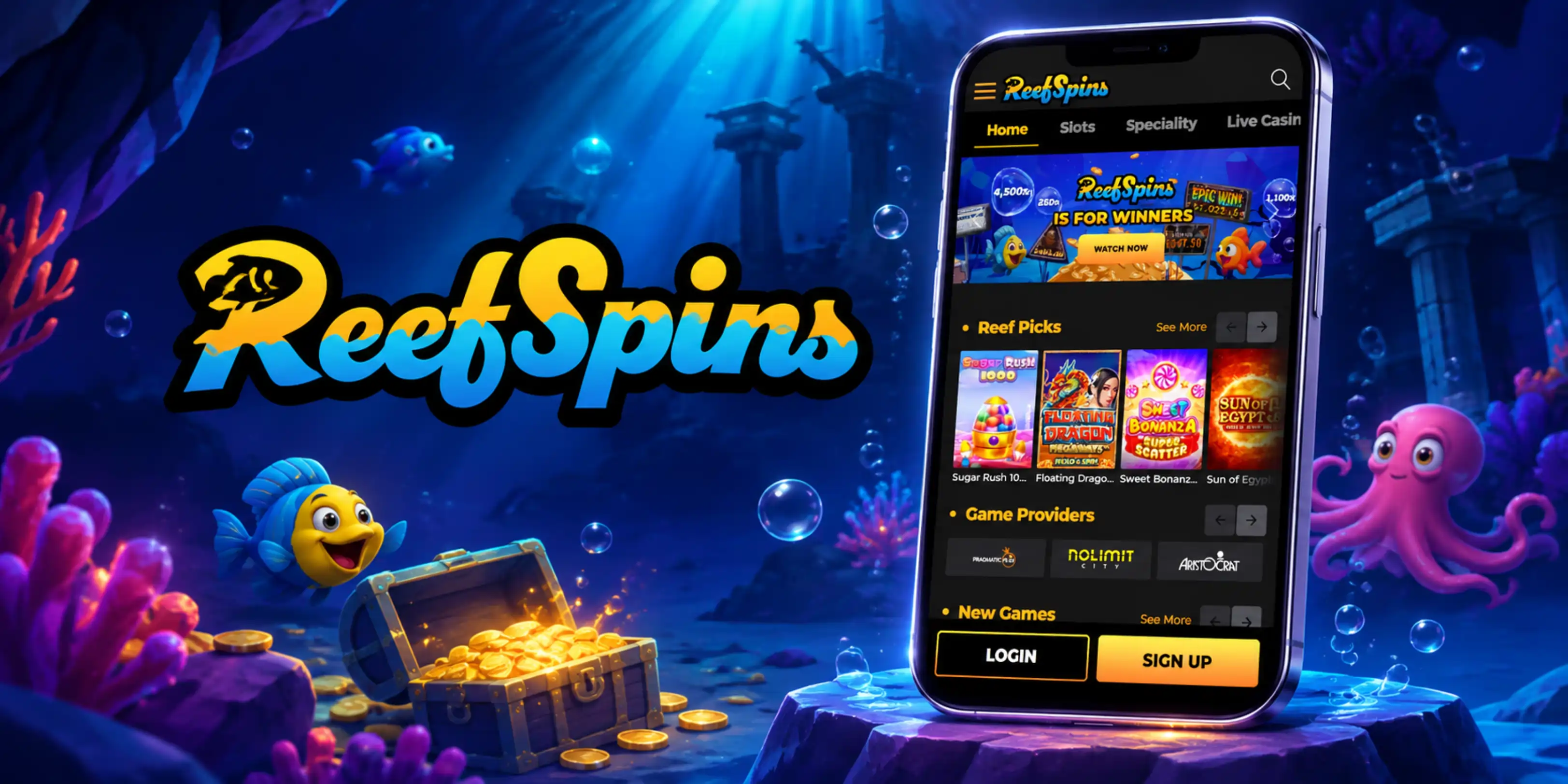

At ReefSpins, we built our mobile platform so you can carry the entire casino in your pocket. There's no separate download required because we run everything through your browser - just open reefspins.com on your phone or tablet and you're ready to play. Whether you're on the bus, on a break at work, or relaxing at home, our ReefSpins app experience adapts instantly to your screen size without losing any of the features you'd find on desktop.
What You Can Actually Do in the ReefSpins Casino App
Our mobile site isn't a stripped-down version of the desktop experience - it's the same platform, just reformatted for touchscreens. Here's what you get:
- Full access to our library of 3,051 slots and pokies, including Megaways and Hold and Win titles
- Live dealer tables powered by Evolution, including Crazy Time, Dream Catcher, and Immersive Roulette
- Table games like blackjack, roulette, and craps, playable live or against the computer
- Our daily Reels of Reef wheel, tournaments, and the Reef Arena promotions
- Full cashier access for deposits and withdrawals in AUD, USD, or crypto
- Live chat support available around the clock once you're logged in
How to Get the ReefSpins App Working on Your Device
Since we don't offer a native app from the Google Play Store or App Store, getting started with Reef Spins on mobile takes just a minute. Here's how we recommend setting it up:
For Android Users
Open Chrome or your preferred browser and head to reefspins.com. Once the site loads, tap the browser menu and select "Add to Home Screen." This creates a shortcut icon that behaves just like a regular ReefSpins app, launching the full site in a clean, borderless window every time you tap it.
For iOS Users
On an iPhone or iPad, open Safari and visit our site. Tap the Share icon at the bottom of the screen, then choose "Add to Home Screen." This gives you a Reef Spins icon alongside your other apps, so you can jump straight into our slots and pokies without typing the URL every time.
Logging In and Getting Started
Once your shortcut is set up, signing in is straightforward. We keep the login form simple - just your email and password, with an option to stay logged in on trusted devices. If you haven't registered yet, our full sign-up process and account details are covered on our dedicated ReefSpins sign up page, where we also walk through identity verification requirements.
Browsing Our Game Selection on the Go
We work with 39 providers, including Pragmatic Play, NetEnt, Play'n GO style studios like PG Soft, Hacksaw Gaming, and Nolimit City, so our mobile lobby is genuinely packed. Categories are organized the same way as on desktop - slots, jackpots, video poker, scratch cards, and live casino - which makes switching between a quick pokies session and a live blackjack hand effortless. Search and filter tools work well on smaller screens too, so finding a specific title or provider doesn't take long.
Keeping Your Account Secure
Security on mobile matters just as much as it does on desktop. We operate under a Curacao sublicense, and our site uses encrypted connections for every login, deposit, and withdrawal you make through your browser shortcut. We also ask that you avoid using a VPN or proxy service, since our terms require your real location to be verifiable at all times. If anything looks unusual on your account, our KYC and support teams are reachable by email or live chat to help sort it out quickly.
Claim Bonuses Straight From Your Phone
We've made sure every promotion we run works just as well on mobile as it does on desktop. New Australian and New Zealand players with a verified mobile number can grab our registration bonus - a small no-deposit reward credited automatically after sign-up. For a bigger boost, our welcome package is worth claiming across your first three deposits. You'll find full terms, wagering requirements, and eligibility details on our ReefSpins bonus page, but the short version is that everything can be activated and tracked right from your phone.
Our Customer Support While You're Mobile
We know mobile players sometimes need quick answers, so we've built support options that work well on the go:
- Live Chat: available 24/7 once you're logged into your account
- Email: [email protected] for general questions
- Payments team: [email protected] for cashier or withdrawal queries
- KYC team: [email protected] for verification questions
- Facebook Messenger: an extra channel reserved for our VIP Lounge members
Advantages and Limitations of Our Mobile Platform
| Advantages | Limitations |
|---|---|
| No download or storage space needed | No app icon badge for notifications |
| Works on both Android and iOS equally | Requires a stable internet connection |
| Instant updates with no manual install | No offline play available |
| Full game library and cashier access | Shortcut setup needs a couple of extra taps |

Final Thoughts on Playing With Us on Mobile
We designed our browser-based approach so you never have to worry about compatibility issues, storage space, or app store approval delays. Whether you prefer the convenience of a Reef Spins shortcut on your home screen or simply typing in the address each time, you'll get the same games, the same bonuses, and the same support team behind you at ReefSpins Casino. For players who want flexibility without downloading anything extra, our mobile site is built to deliver exactly that.
FAQ
Do you have a downloadable app for Android or iOS?
No, we don't offer a native app through the Google Play Store or App Store. Instead, we run a fully responsive mobile site that works through your browser, and you can add a shortcut to your home screen for quick access.
Is the ReefSpins app experience different from desktop?
Not really. We keep our game library, bonuses, and account features identical across devices, so you won't miss out on anything by playing from your phone.
Can I claim bonuses using the Reef Spins app shortcut?
Yes, all our promotions, including the registration bonus and welcome package, can be claimed and tracked directly from your mobile browser once you're logged in.
What do I need to log in on mobile?
Just your registered email and password. We also let you stay signed in on trusted devices so you don't have to re-enter your details every session.
Is it safe to deposit and withdraw through the mobile site?
Yes, we use encrypted connections for every transaction, whether you're depositing by card, bank transfer, or cryptocurrency, and the same withdrawal rules apply on mobile as they do on desktop.
Why can't I access the site from certain countries?
We restrict access from France, the Netherlands and its territories, the United Kingdom, and Spain. If you're browsing from one of these regions, our site won't be available regardless of device.
Content updated: November 17, 2026